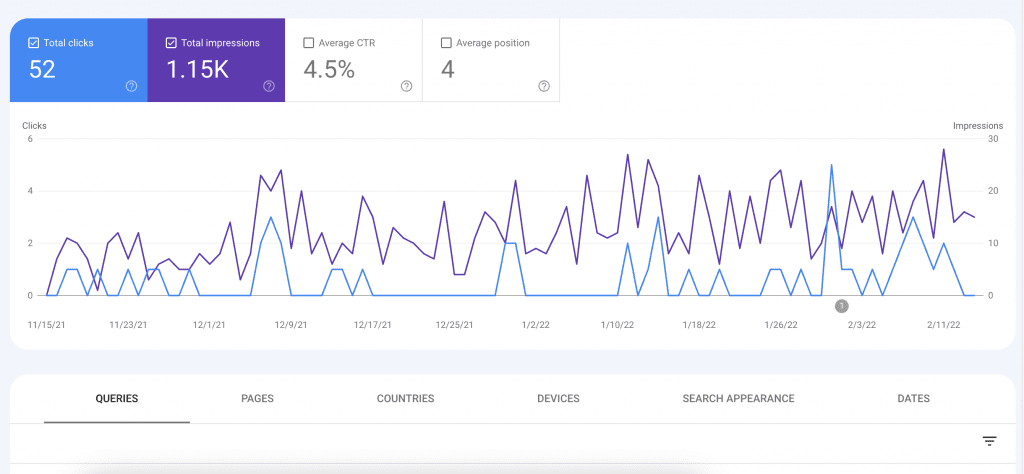
This feature is not included by default but your can view local keyword data in Google Search Console with one simple trick. You need to add a UTM version of your website URL to your Google Business Profile link field.
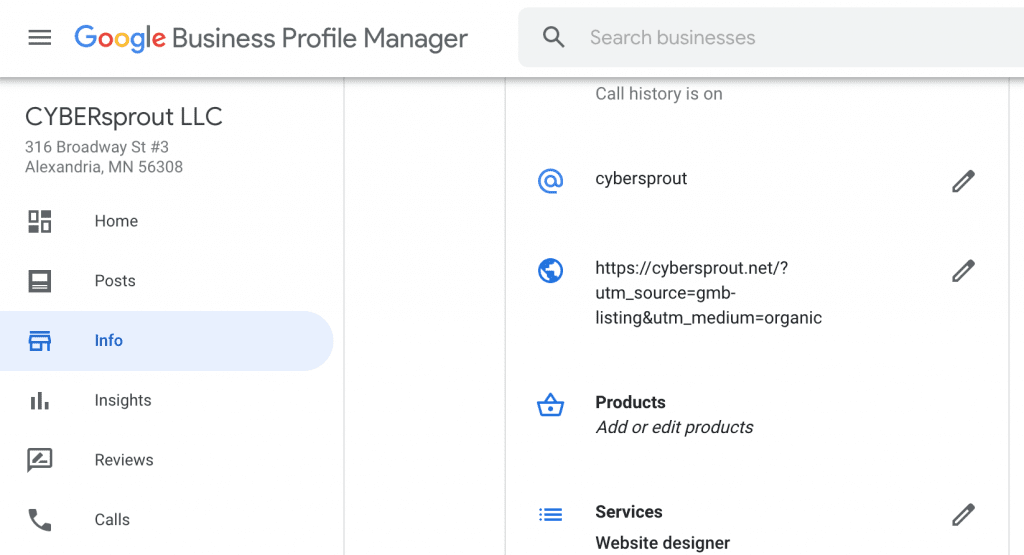
A UTM link includes simple code to pass along data to Google Analytics. Try using the example below and be sure to swap out the domain for your own.
https://cybersprout.net/?utm_source=gmb-listing&utm_medium=organicBut what about Search Console? This unique link allows you to separate out the local data by selecting this URL from the Page tab, as shown below.
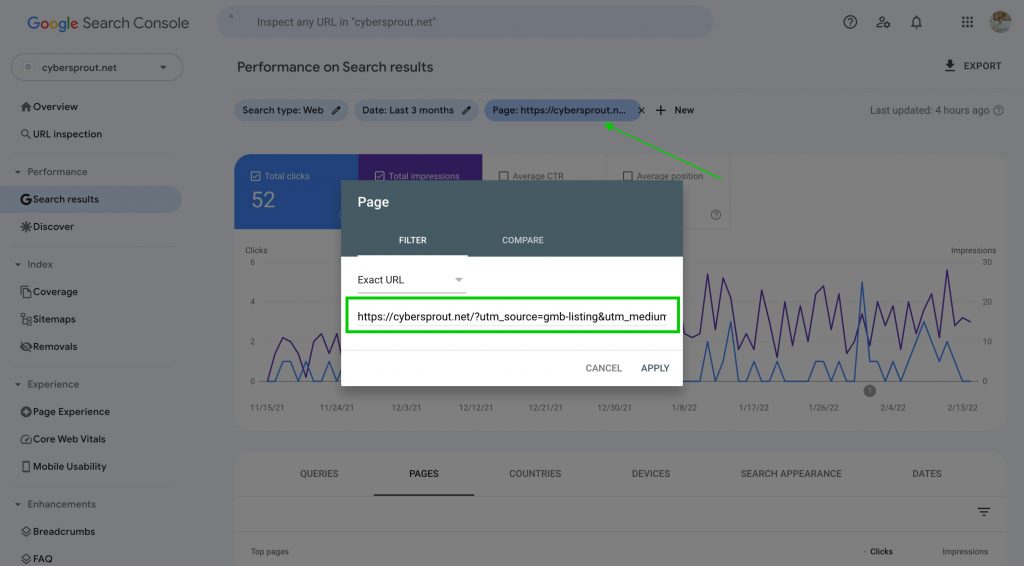
You can now jump over to the “Queries” tab to view the search keyword phrases being used to find your website. This isn’t a full-proof method as some of the clicks can go to your organic listing below the local pack results. However, it should still give you some keyword valuable insight from the impressions alone.