

Blog posts are experiencing a resurgence in the utilization of table of contents. Its usage enhances user experience and can also contribute to improved search engine optimization, thereby expanding the reach of your content on search engines.
It certainly isn’t a new concept. Wikipedia has done a great job using this feature. So why haven’t other websites been following suit? Articles have been getting longer so it seems like a good table of contents is more important than ever.
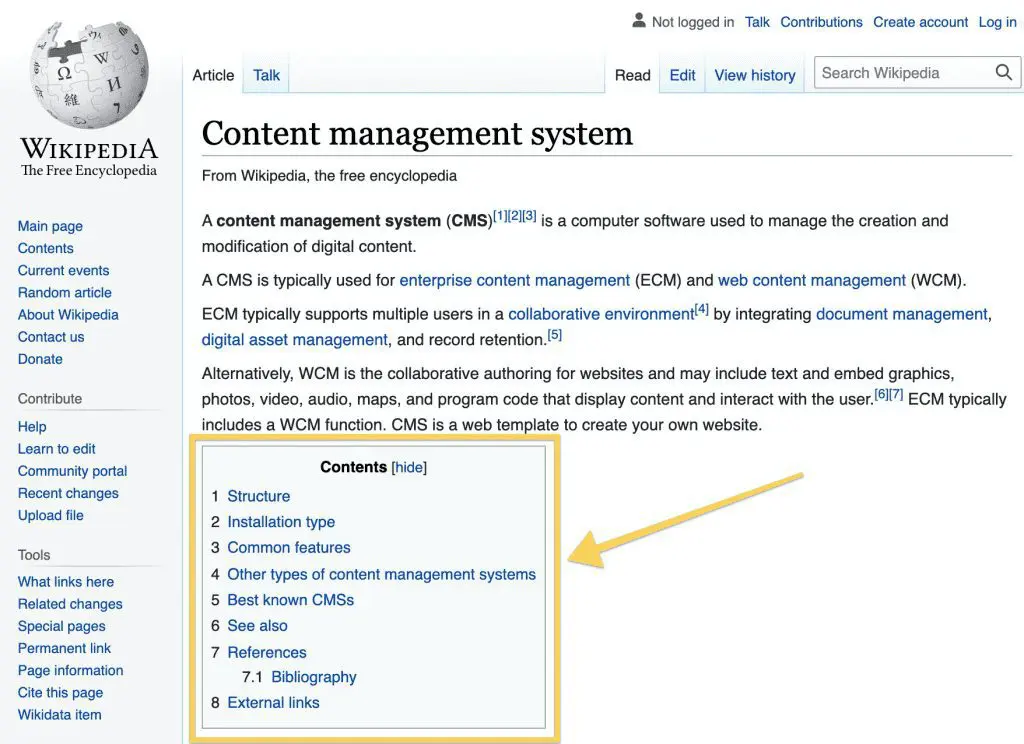
We also assumed that users would be able to utilize shortcuts like CNTRL+F or other methods to quickly navigate to their desired content. However, this can be challenging on mobile devices. Additionally, many users are not familiar with these techniques. Ultimately, this has resulted in a negative user experience, which requires immediate resolution.
Table of Contents
A Better In-Post User Experience
According to Time, you’ve only got 15 seconds to capture a reader’s interest. If they aren’t drawn in by a strong hook or the ability to find their answer with ease, they’re going to bounce fast.
A table of contents allows users to see exactly how you’ve laid out the post content. This can tell them if you’re going to answer their question or take them down a path that piques their curiosity.
A modern table of contents allows readers to easily navigate to specific sections within an article, enhancing the user experience. This is far more convenient than having to read through a lengthy article of over 3,000 words to locate a single section. While some readers may prefer to consume all the content, many individuals are pressed for time and simply seek a straightforward answer. Hence, it is crucial to facilitate their search and make it effortless.
Search Engines are Using Tables of Contents
Google utilizes the table of contents and bookmark links (a.k.a. jump links or anchor links) within blog posts and pages. They’ve started to show search engine results specifically for these links as rich snippets.
For example, the “how to” search below was searching for a search answer. Google pulled in not only the right answer but a link directly to that section within the post if the visitor wanted to learn more.

You can see from the Google Search Console data below how that particular bookmark link has been getting a fair amount of traction. It wasn’t the only one getting traction either. For this particular website, I scanned the top 100 most popular pages for search traffic and 28 of them were bookmark links!
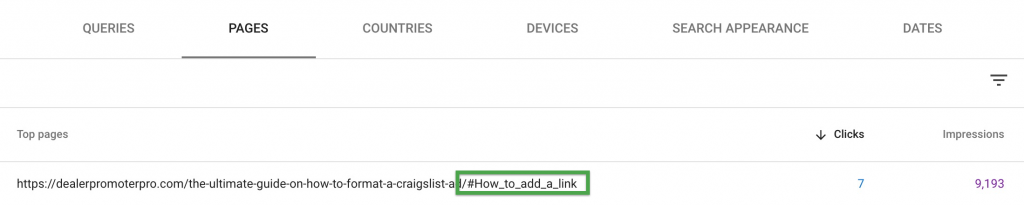
That meant about a quarter of all the top pages in search results were directly from a bookmark link. This isn’t all good.
Google seems to favor these types of snippets because they can feature them directly on the search results page. It is a better experience for Google users but that doesn’t necessarily help marketing efforts.
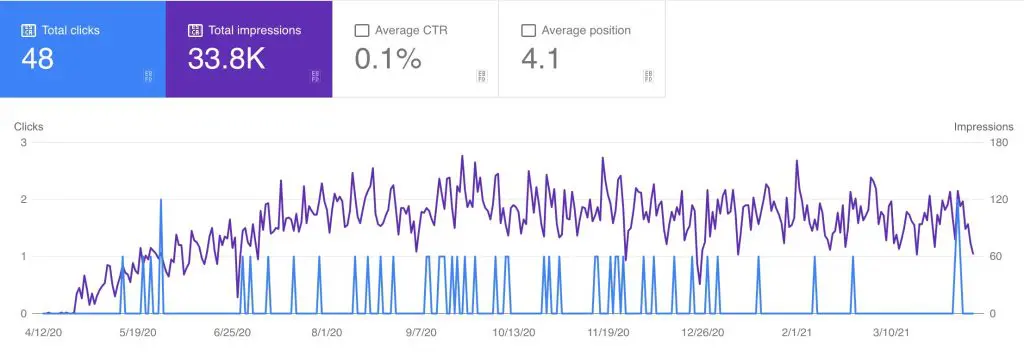
The downside to these bookmark links is their click-through rate tends to be much lower. In my opinion, click-through rate is a more useful metric for the main article and not the bookmark link. Take that into consideration when comparing link data in Google Search Console.
How to Create a Table of Contents in WordPress
We happen to specialize in WordPress website development and design so I’m going to focus on that platform for a table of contents solution.
WordPress Plugin
At CYBERsprout, we are currently using the Easy Table of Contents plugin on our own blog. It is simple, lightweight, and works well.
This is a great option for adding a table of contents to all WordPress blog posts automatically. This plugin will automatically generate the table of contents based on the headings within the article.
Gutenberg Block
There are a variety of Gutenberg blocks for a table of contents. This one by Ultimate Add-ons for Gutenberg is my personal favorite.
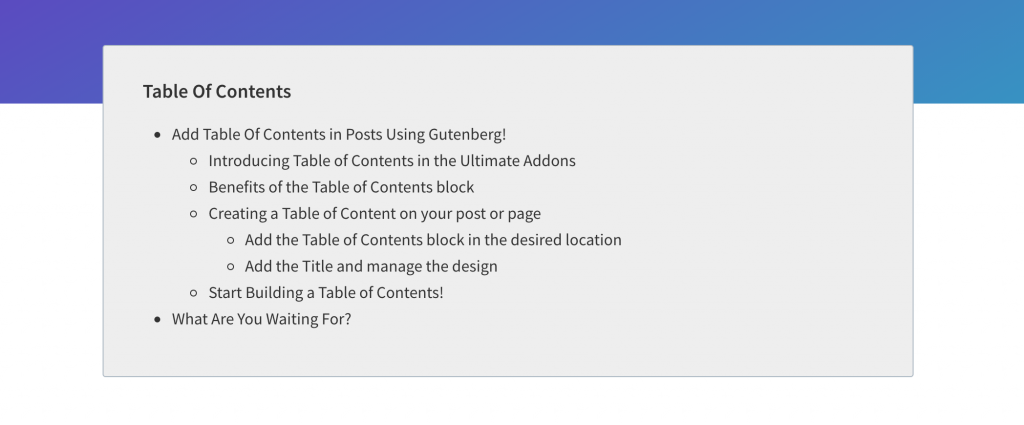
If you are wanting more control over which posts have a table of contents or where it shows up in the post, blocks are the best way to go. It gives you a lot more control over placement. This can be handy if you’re wanting to display an intro first before showing the in-post navigation links.
Custom Setup
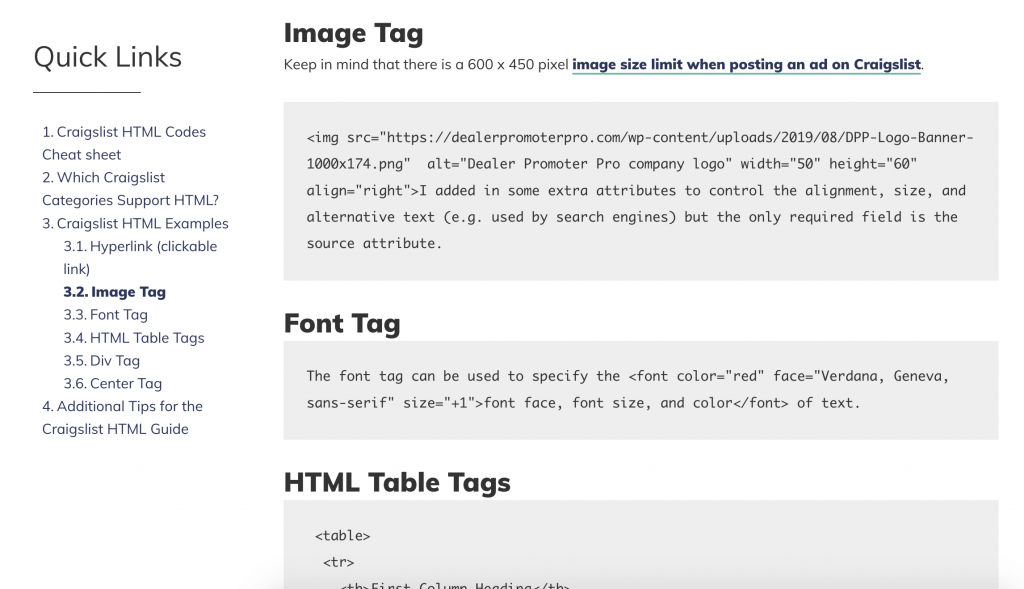
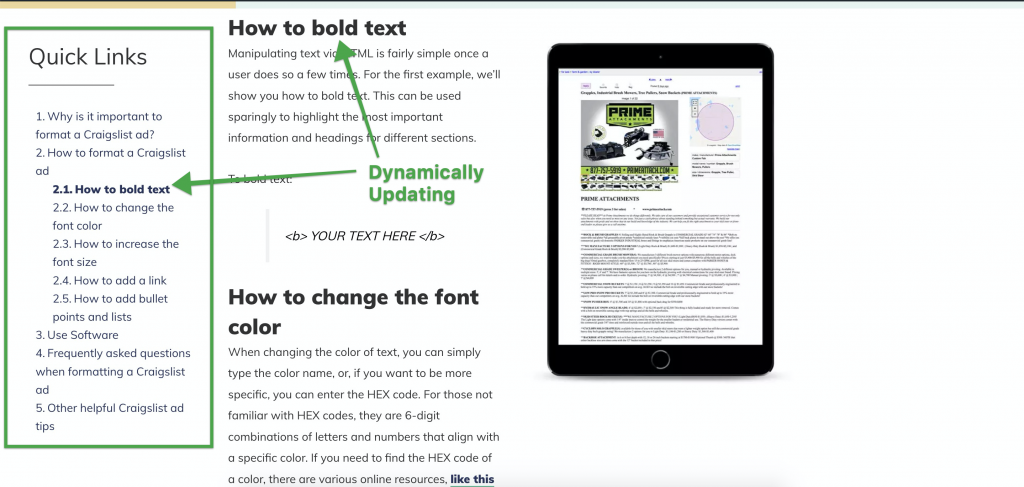
My favorite setup is shown below from a Craigslist marketing blog. It uses the same Easy Table of Contents plugin along with a custom layout that keeps the widget floating in the sidebar. This means the navigation links are always within view for the reader to jump around.
Plus, the headings dynamically change to bold as the reader scrolls down the page. This is great for showing the reader exactly where they are at in the article.
Quick Tip: Add a progress bar
As a bonus, consider adding a progress bar. This helps the reader understand where they’re at in the blog post. The image above has a yellow bar at the top of the post. It is powered by the Read Meter WordPress plugin.
Great Inspiration and Examples
Below are just a few of my personal favorites for examples of great table of contents design and experience.
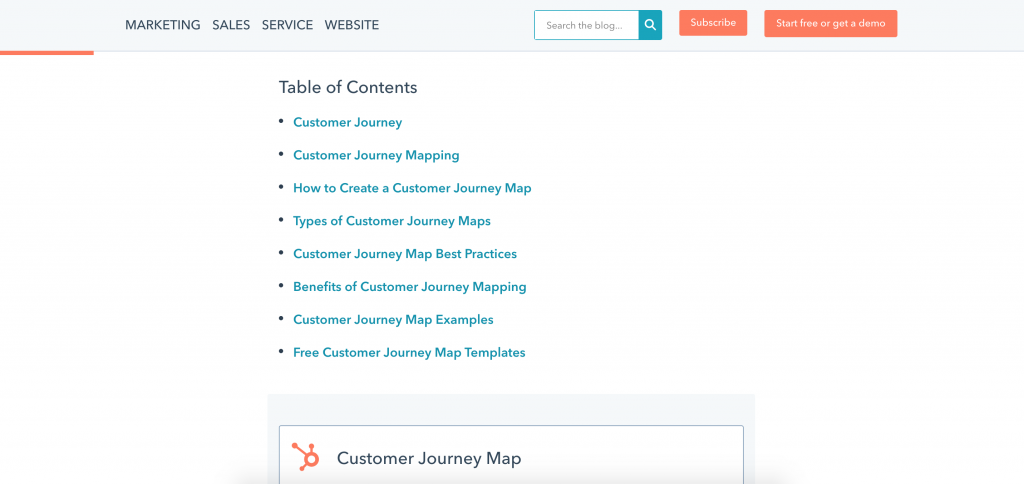
Hubspot
A simple ToC display with plenty of white space, which allows the reader to focus and jump to the right section.
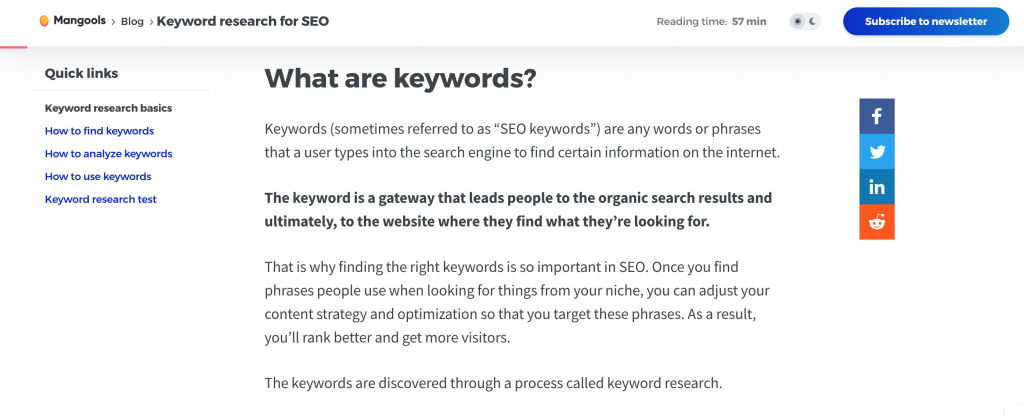
Mangools
A simple sidebar floating ToC that makes navigation a snap. As a bonus, the social icons float on the right as well as the reader scrolls down the page.
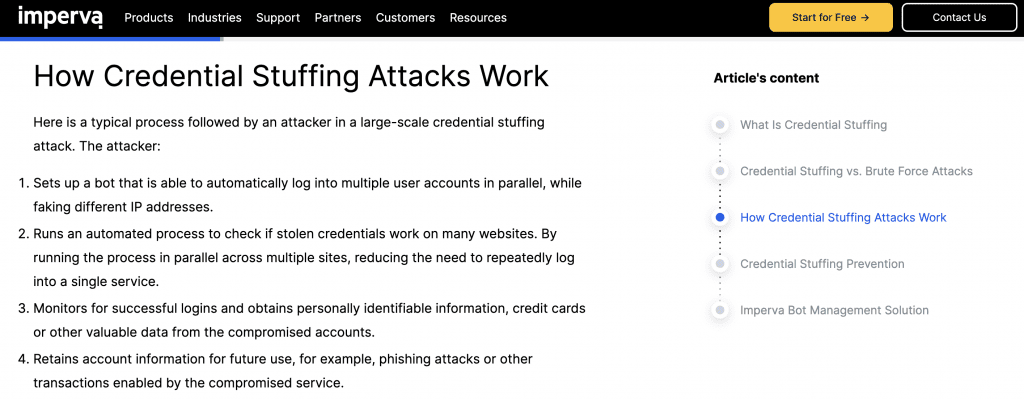
Imperva
A floating table of contents that highlights the current section as your scroll with a beautiful design.
Jetpack
The Jetpack blog is my personal favorite. The table of contents stays static in the sidebar, highlights the sections you’re viewing, and dynamically opens and closes submenus.

ClickUp
Like several of the previous examples, the ClickUp blog features a sticky table of contents that dynamically highlights the current section. The main difference is that highlight design is more subtle so it is not as distracting while you’re reading through the article.

Is It Worth Adding a Table Contents to your Blog Posts?
The table of contents does push your content down lower. Plus, the bookmark links that result from the table contents tend to attract fewer clicks. Does that mean you shouldn’t include these links for Google? Could it actually hurt your article’s ability to draw in visitors?
From the data I’ve reviewed, it still looks like it is well worth it. These links might get fewer clicks but it helps increase the overall reach of your article and brand. Google displays these rich snippets for about 1/3 of their searches so it gives you prime positioning.
This gives your article a chance to potentially show up multiple times in the search results: once as a regular result and another as a featured rich snippet. Check out the example below.

That means you could still be growing the traffic to your overall website while the click-through rate might decrease. Plus, adding a table of contents to your blog posts is generally a better user experience for your readers.

