
Should You Build Your Own Website or Hire a Pro? A Simple Guide for Small Business Owners

By Nathanael Auran | December 30, 2025 | Design, Development, Running the Business | Reading Time: 11 minutes

If you’re running a business, there’s a good chance you’ve wondered: “Should I build my own website or hire a professional?”
It’s a big decision. Your website is often the first place people meet your brand, decide if they trust you, and choose whether to call, visit, or buy. 76% or more of consumers will check your online presence before ever calling or visiting your business1. And around 75% of those will judge your credibility based on your website’s design2! So this decision is important.
In this guide, we’ll walk through the pros and cons of building your own website vs hiring a web designer or agency, using real examples from our 10+ years of helping small businesses do exactly this.
Table of Contents
Quick Answer: DIY vs Hiring a Pro in Plain English
Short version:
Whether you should build your own website or hire a professional depends on three things:
- Your budget
- Your time and tech comfort
- How much your business depends on your website for leads, sales, or credibility
In general:
- DIY website works best if:
- Your budget is tight
- You only need a simple brochure site
- You enjoy tech and design and can set aside time to learn
- Hiring a professional web designer or agency works best if:
- Your website is a key driver of leads, bookings, or online sales
- You don’t have an internal IT team
- You’d rather focus on running the business than wrestling with templates & maintenance
- Hybrid approach works best if:
- You want to start with a simple small business website DIY
- But you’re open to bringing in a pro later for redesign, SEO, or added features
Start with Your Business Goals (Before You Talk Tools)
Before you decide who should build your business website, step back and ask:
“What do I need this website to do for my business?”
Write down your top 3–5 goals. For example:
- Look credible and professional
- Generate leads and quote requests
- Bring in online orders or bookings
- Help with hiring and job applications
- Make it easy for customers to find basic info (hours, location, menu, services)
If your website is more like a digital business card (basic info, low traffic, low stakes), a DIY website vs professional build may lean toward DIY.
If your website is more like a top salesperson or main storefront (heavier on lead generation, e-commerce, or recruiting), then a professional website often pays off through better SEO, speed, and conversions. That’s where professional website benefits for small business really start to show up.
Option 1: Building Your Own Website (DIY)
What “DIY Website” Usually Means Today
When we talk about small business website DIY, we usually mean:
- Drag-and-drop builders like Wix, Squarespace, WordPress.com, Shopify, or similar
- Sometimes WordPress using a pre-built theme
- You choose a template, plug in your content, and handle basic design and SEO yourself
These tools are powerful and have come a long way, especially with AI content and design helpers built in. But they still ask you to wear all the hats: strategist, designer, copywriter, and tech support.
DIY Pros: When Doing It Yourself Makes Sense
Building your own website can be a smart move when:
- Budget is very tight
- Builders often run around $20–$50/month, plus a domain name.
- You need something up fast
- You can launch a simple 3–5 page site in a weekend if you’re comfortable with tech.
- You like to learn new tools
- Some owners genuinely enjoy tinkering with layouts and trying new apps.
- Your needs are basic
- A simple “about + services + contact” site with no complex integrations or e-commerce.
For early-stage businesses still testing an idea, DIY is often “good enough” for now.
DIY Cons: Costs, Time, and Risks People Don’t See Coming
Here’s where the DIY website hidden costs start to show up:
- Time cost
- Learning the platform, design basics, accessibility, and SEO can easily take 30–50+ hours, and this is before you even think about updates.
- Design & usability limitations
- Templates can look “cookie-cutter,” especially on mobile. Getting them to truly match your brand can be tricky.
- SEO & performance
- Many DIY sites end up slow, cluttered, and confusing to navigate. That hurts search rankings and conversion rates.
- Platform lock-in
- If you ever move away from your builder, you usually can’t take your entire design with you, just the content.
- Technical frustration
- When things break (forms, analytics, layout issues), you are tech support.
We’ve seen business owners spend nights and weekends trying to fix layout issues, struggling with slow pages, or giving up on features they really wanted because they couldn’t get their DIY tool to cooperate.

DIY Snapshot: Budget & Timeline
You can use these as ballpark ranges (not quotes):
- Builder + hosting: ~$20–$50/month
- Domain: ~$12–$15/year
- Time to launch:
- Tech-comfortable owner: 10–20 hours for a simple site
- Most non-tech owners: closer to 30–50+ hours including trial and error
In short, DIY can save money upfront, but you’re paying with your own time and energy.
Option 2: Hiring a Professional Web Designer or Agency
What “Professional Website” Really Means
A website builder vs custom website isn’t just about looks, it’s about how the site supports your business. When you hire a professional web designer or agency, you’re usually getting:
- Strategy
- Discovery sessions to clarify your goals, audience, and key messages
- Design + user experience (UX)
- A layout that guides visitors toward action: call, book, donate, apply, buy
- Performance & SEO foundations
- Fast load times, mobile-friendly layouts, on-page SEO, analytics setup
- Project management
- A clear process, check-ins, feedback rounds, and launch support
- Training & support
- So your team knows how to edit pages, post blog articles, or add events
In our agency, for example, we follow a structured process: Discovery → Design theme exploration → Client review → Full site build & integration → Revisions → Launch → Training → Ongoing updates & maintenance. That keeps busy owners and marketing managers involved without burying them in tech tasks.
You can learn more about our agency’s process here.
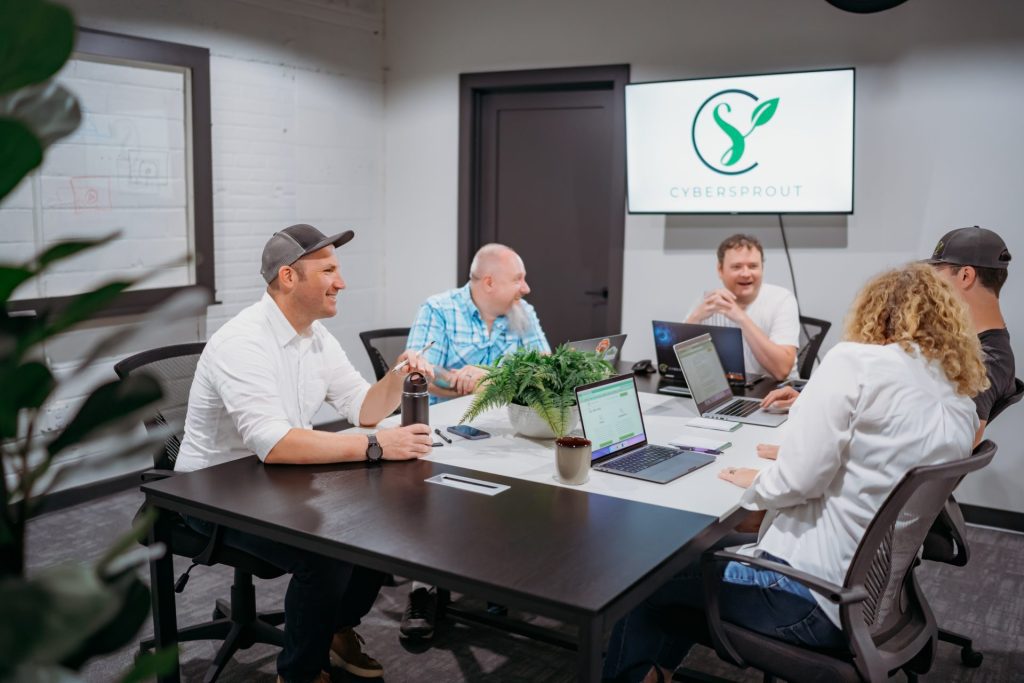
Professional Website Pros: When Paying More Pays Off
Here are the main professional website benefits for small business we see in real projects:
- Better results from the same traffic
- A well-designed site typically converts more visitors into leads, donations, or orders.
- Time back for your team
- Instead of spending nights learning CSS or SEO, you focus on sales, service, and operations.
- Access to a full team
- Designer, developer, marketer, and strategist working together rather than one overwhelmed owner.
- Scalability
- Easier to add e-commerce, booking systems, multi-location pages, and integrations.
Real-world wins from professional builds
Over the last 10 years, our team has:
- Designed and launched 300+ websites for businesses and organizations
- Helped a non-profit raise $378,000, a 52.6% increase over the previous year
- Increased one client’s organic search traffic by 72%
- Built a county website that receives 2.5+ million page views per year
- Helped a medical system increase online job applications by 10% in a year
- Integrated a client’s website with their ERP system so they no longer had to manually enter online orders
These are the kinds of gains that make the upfront investment worth it for many small businesses.
Additional real-world wins our agency has seen can be read throughout our Case Studies.
Pro Website Cons: What to Watch Out For
Hiring a pro isn’t always the right answer, and it’s important to understand the trade-offs:
- Higher upfront cost
- It’s common for small business sites to range from $2,500–$10,000+, depending on size and complexity.
- You still need to participate
- You’ll give input, approve designs, and help provide content and photos.
- You must read the fine print
- Who owns the domain?
- Who owns the design and content?
- How are changes handled after launch?
We’ve seen horror stories where a business couldn’t update their own website because their previous agency wouldn’t give them access, or the site was so poorly built that search engines could barely read it. In extreme cases, rushed DIY or low-quality pro sites ended up with fatal errors that took the entire site down. We rebuild those projects with clean code, clear ownership, and training so clients feel confident, not stuck.

CYBERsprout doesn’t do website hostage situations. You paid for the house, the keys and deed are yours. Stay because you want to, not because you’re locked in.
Pro Snapshot: Budget & Timeline
Typical ranges (again, not quotes but helpful guardrails):
- Budget
- Simple brochure site: ~$2,500–$5,000
- Larger or e-commerce site: $7,500–$10,000+
- Timeline
- Often 6–12 weeks from kickoff to launch, depending on content and feedback speed
- Ongoing costs
- Hosting
- Maintenance / care plan (updates, backups, security)
- Occasional content or feature updates
Bottom line: you pay more upfront, but gain performance, support, and time.
We’d Love to Discuss Your Website Needs
Reach out to us and we can talk about what you need for your small business website.
Option 3: A Hybrid Approach (DIY + Professional Help)
Not every decision is build your own website vs hiring a web designer as an either/or. A hybrid approach can be ideal when:
- You start with a DIY website to get something up quickly
- Then you bring in a pro to:
- Audit your UX and SEO
- Refine your messaging and calls to action
- Add custom functionality you couldn’t get working on your own
We’ve worked with many clients who began with a DIY builder, then realized they were stuck. Common issues:
- They couldn’t get their online store to support specific shipping or pricing rules
- The site was painfully slow and they couldn’t fix it
- They struggled to make the design look polished and on-brand
After we rebuilt their sites, they had:
- Cleaner, more user-friendly designs
- Faster load times
- Features that matched how they actually do business
- And, just as important, time back to focus on running their company
One Important Caveat: Can Your Future Agency Support Your Platform?
If you’re considering a hybrid approach, you’ll want to think ahead about which website builder or CMS you start with and whether your future agency can support it.
Different agencies specialize in different platforms. For example, our team builds and supports WordPress websites. If a client starts on Squarespace or another closed platform, we can’t simply “take over” that existing site. We would need to rebuild it from scratch in WordPress to provide the level of support, flexibility, and performance we’re known for.
That’s not necessarily a bad thing, but it’s something to plan for:
- If you want to stay on the same platform long-term, choose a builder your future agency works with.
- If you’re fine with a rebuild later, you can start wherever is easiest now and treat the professional project as your “version 2.0” when the time is right.
Hybrid paths are especially helpful if you have some budget, but not enough to go fully custom right away, and you’re okay either confirming platform compatibility up front or planning for a future rebuild.
DIY vs Professional at a Glance
Here’s a quick comparison to help you decide who should build your business website:
| Factor | DIY Website | Professional Website |
|---|---|---|
| Upfront cost | Low | Medium to high |
| Monthly/annual cost | Low to medium | Medium (hosting + care plan) |
| Time to launch | Fast if you have time to work on it | 6–12 weeks on average |
| Your time required | High (learning + building + fixing) | Moderate (reviews + content) |
| Design quality & brand fit | Template-based, may feel generic | Custom or semi-custom to your brand |
| SEO & speed | Depends on your skills & platform | Optimized by experts |
| Conversion potential | Often lower | Often higher |
| Scalability | Limited by platform & your skills | Planned for future growth |
| Ownership & portability | Content portable, design often is not | Depends on contract. Clarify before you sign |
| Stress level | Can be high | Lower once you pick the right partner |
Decision Checklist: Which Path Is Right for You?
Ask yourself these questions. If you answer “yes” to most in a column, that’s your likely path.
DIY might be right if:
- Your budget for the next 6–12 months is very limited
- You’re comfortable learning new tech tools
- You enjoy writing and basic design
- Your website is not your main source of leads or sales
- You have at least a few hours a week to build and maintain it
Hiring a pro might be right if:
- Your website is critical for leads, bookings, donations, or hiring
- You don’t have an internal IT or web team
- You’d rather focus on sales, operations, and leadership
- You’ve tried DIY before and found it overwhelming
- You want a clear process and long-term support
Hybrid might be right if:
- You need something fast and cheap today
- But you know you’ll need better performance and features soon
- You’re open to a professional redesign or audit once you validate your business idea
If You Hire a Professional, How to Choose the Right Partner
If your answer to “should I build my own website or hire a professional?” is leaning toward “hire,” your next step is picking the right partner.
Look for:
- A portfolio that feels modern and easy to use
- Experience with businesses like yours (industry, size, or complexity)
- A clear process with milestones and check-ins
- Transparent pricing and scope
- Training after launch so you’re not stuck waiting on every tiny change
- Clear language about who owns your domain, content, and website
In our own projects, we work with clients from one-person operations to organizations with several hundred employees across construction, healthcare, manufacturing, non-profit, food and beverage, retail, real estate, and local government. The common thread: they want a site they’re proud of that actually supports their business goals.
We Partner With Our Clients for Success
Want more information on how CYBERsprout can partner with you? Contact us today to schedule a time we can talk.
If You DIY, How to Set Yourself Up for Success
If you’re committed to a small business website DIY path (or at least starting there), here are ways to make it work better:
- Pick the right platform
- Shopify if online sales are your main focus
- Squarespace or Wix for simple brochure-style sites
- WordPress if you are writing articles and content
- Invest a little time upfront
- Learn how to edit headings, add alt text to images, and write clear page titles and meta descriptions
- Focus on the essentials
- Clear homepage: who you are, what you do, who you serve, and how to contact you
- Visible call-to-action buttons (Call, Book, Get a Quote, Donate)
- Mobile-friendly layout with easy-to-read text
- Plan for help later
- As your business grows, consider a professional audit or redesign to improve SEO and conversions
Common Mistakes to Avoid Either Way
No matter which option you choose, try to avoid these pitfalls:
- Not owning your domain
- Make sure the domain is registered in your name or your company’s name.
- Ignoring mobile users
- Most visitors will check your site on their phone first. If it’s hard to use, they’ll bounce.
- No clear calls to action
- Don’t make people hunt for your phone number, contact form, or “Book Now” button.
- No analytics or tracking
- Without basic analytics, you can’t see what’s working and what isn’t.
- No plan for updates and maintenance
- Websites are not “set it and forget it.” Plan for regular updates, backups, and security checks.
FAQs
Is it cheaper to build my own website or hire a professional?
Yes, it’s cheaper upfront to build your own website. But when you factor in your time, missed opportunities from lower traffic or conversions, and the need to rebuild later, a professional site can be the better long-term value for many businesses.
How much does a professional small business website usually cost?
Most small business sites fall somewhere between $2,500 and $10,000+, depending on size, complexity, and who you hire. Simple brochure sites land on the lower end; e-commerce and complex features push higher. Always ask for a clear scope and estimate.
Can I start with a DIY website and upgrade later?
Absolutely. Many businesses start with a DIY builder to get going, then bring in a pro once they outgrow the platform, need custom features, or want to improve SEO and conversion rates. Just keep your content backed up and your domain in your name so the upgrade is smoother.
And if you start off with WordPress.com, which is limited in customization & options, it is worth to note that these sites are much easier to migrate to an WordPress focused agency as they primarily use WordPress.org allowing full customizations & options.
How long will it take to build my own website?
If you’re tech-savvy and using a builder, you might get a basic site live over a weekend. For most owners and marketing managers juggling lots of tasks, expect several weeks of part-time effort to get it looking and working the way you want.
What skills do I need to DIY my business website?
You’ll need comfort with:
– Writing clear, friendly copy
– Basic design (spacing, font sizes, colors)
– Learning new software
– Doing updates and solving small tech hiccups
If those things drain you, hiring a pro may be worth it.
Will a professional website really get better results?
In our experience, yes! Especially when your website is a key sales or lead channel. With strategy, UX, SEO, and performance all working together, a professional website can turn more visitors into customers, donors, or applicants using the same or even less traffic.
Who should maintain the website after it’s built?
You can:
– Handle content updates in-house after a good training session
– Enroll in a care/maintenance plan with your web designer or agency
– Use a mix: your team edits content; your partner handles updates, backups, and security
Whatever you choose, the important thing is that maintenance isn’t optional.
Summary: Making a Confident Decision
So… should you build your own website or hire a professional?
- If your budget is tight, your needs are simple, and you’re comfortable with tech, DIY can be a smart starting point.
- If your website is critical to revenue, reputation, or recruiting, and you’d rather focus on running your business, hiring a professional web designer or agency will likely pay off in performance and peace of mind.
- If you’re somewhere in the middle, a hybrid path, starting DIY, then bring in a pro for upgrades, audits, or a full redesign, might be the perfect fit.
Whichever route you choose, remember: your website should work as hard as you do. The right decision is the one that supports your goals, respects your time, and helps your business grow.
Sources & Further Reading
- SCORE. “12 Reasons Why Small Businesses Need a Website.” SCORE Blog, 2020. Explains why having a website is essential for credibility, visibility, and competing effectively as a small business.
- Forbes Advisor. “How Much Does a Website Cost? (2025 Guide).” Forbes Advisor, 12 Sept 2025. Breaks down typical cost ranges for DIY builders and professionally built websites, including small-business scenarios.
- Shopify. “How Much Does a Website Cost in 2025? A Complete Guide.” Shopify Blog, 15 May 2025. Provides pricing ranges for different types of sites (personal, small business, e-commerce) and compares DIY vs professional options.
- Leadpages. “SMB Website Design: Average Cost Insights.” Leadpages Blog, 13 Jun 2025. Offers average cost ranges for small business website design and compares website builders with custom design/agency builds.
- Design Powers. “DIY vs Pro Web Design: What’s Best for Building Your Small Business Website?” Design Powers Blog, 10 Nov 2025. Compares DIY website builders with hiring a professional designer, outlining pros, cons, and decision factors.
- Lendio. “How to Build a Website For Your Small Business.” Lendio Guides, n.d. Step-by-step guide that walks small business owners through building a website, including pros and cons of WordPress vs other options.

