
Is WordPress Right for Your Small Business Website?

By Mykl Roventine | February 2, 2026 | Client Resources, Running the Business | Reading Time: 5 minutes
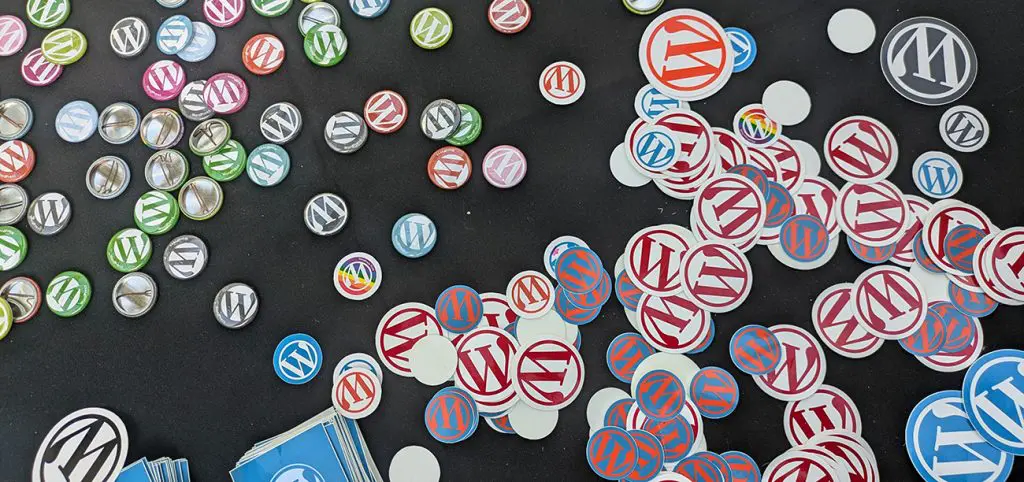
In a nutshell, WordPress is a great option for the majority of small to mid-sized businesses. It is affordable, scalable, adaptable, and perfect for groups who want a polished website that they can run on their own. Like any tool, it is crucial to recognize its strengths and areas where a different solution might be more appropriate.
Table of Contents
What Makes WordPress So Popular?
If you’ve ever looked for website platforms, WordPress has likely been mentioned frequently, and with good reason. It combines ease of use with immense power, which means you do not have to choose between something simple and something fully featured. You can start small with WordPress and expand without having to start over.
Some of the biggest reasons people choose WordPress include:
- Ease of use: You do not need to hire a developer to change pages, swap out images, or publish blog entries.
- Flexibility: WordPress is capable of handling blogs, online stores, booking systems, and local business websites. CYBERsprout has built over 300 websites on WordPress for businesses of all kinds, and WordPress helped us meet the goals of each.
- A vast ecosystem of plugins: Thousands of add-ons allow you to grow your website at a reasonable cost.
- Long term stability: It will not go away in a few years because it is open source and has a lot of support. Our team attends WordCamps and is active in user groups with hundreds of other WordPress professionals who are passionate about the platform.
- SEO friendly foundations: Strong tools and clean structure make it easier for your website to appear in search results.
Because of its power and usability, WordPress powers over 40% of the internet.
WordPress is also used well beyond small business sites. Plenty of large organizations rely on WordPress for high visibility, high traffic web properties. TechCrunch, Bloomberg, Reuters, Vogue, The New Yorker, Harvard University, Massachusetts Institute of Technology are a few examples, and the list extends into major brands like Microsoft, Salesforce, and Sony Music.
WordPress.com vs WordPress.org: What’s the Difference?
You will hear “WordPress” used in two different ways, and it can get confusing.
- WordPress.org is the open source WordPress software you install on a hosting account. This is what most people mean when they say a “WordPress website.” You get the most flexibility and control, including themes, plugins, and full customization.
- WordPress.com is a hosted service that uses WordPress. It is more hands off, but it can come with limitations depending on the plan you choose, especially around plugins, customization, and advanced features.
A simple way to think about it: WordPress.org is like owning a house. WordPress.com is more like renting.
When Is WordPress the Right Choice?
WordPress tends to be the best fit for businesses and organizations that need a professional website with room to grow. If your site needs more than just a few static pages, WordPress gives you the structure and control to manage a variety of different types of content, not just text.
It is a great choice when your site needs to:
- Grow over time without starting from scratch.
- Support a variety of content formats, including blog entries, portfolios, events, services, and team profiles.
- Use a visual editor to manage content.
- Look polished and unique without having to pay for specialized software.
- Connect to marketing tools such as calendars, CRMs, email platforms, and analytics.
Consider WordPress to be the “sweet spot” platform. It has more functionality than do it yourself builders like Wix or Squarespace, but it is not as costly or intricate as a custom application created from scratch.
No platform is perfect for every project. Depending on your objectives, WordPress may not always be the most straightforward or economical option, despite its versatility.
You might want to consider another platform if:
- You want a fully hosted, hands off experience with fewer bells and whistles.
- You require a highly specialized web application with intricate workflows or custom logic.
- You anticipate high traffic but do not want to invest in appropriate hosting or caching.
- You do not want to deal with plugins, backups, or updates.
It all depends on how much control you want over the backend versus how much customization you require. At CYBERsprout, we help clients weigh these tradeoffs and choose the platform that fits their long term vision, not just the next few months.
What Does a WordPress Website Cost?
Naturally, one of the first things people think about is budget. Although there is not a single solution that works for everyone, it helps to think about your site in terms of initial build and ongoing care.
Initial build costs vary depending on:
- Design approach: A hybrid template based design may be more economical, while a custom design offers greater flexibility.
- Functionality needs: Complexity is influenced by features like ecommerce, booking, events, and memberships.
- Content volume: Timelines and expenses may be impacted by the quantity of pages, layouts, and copywriting requirements.
- SEO and integrations: These determine the scope if you require third party tools or advanced optimization.
Then there is the ongoing side, which is often simpler and more predictable:
- Hosting
- Maintenance and updates
- License renewals for premium tools
- Content updates (if you would like help managing them)
WordPress usually offers a great return on investment because you can keep growing your website for years instead of having to start over every time you outgrow your platform.
How Easy Is WordPress to Manage Day to Day?
WordPress’s ease of use once you are familiar with it is one of its greatest advantages. The drag and drop functionality of the modern block editor, Gutenberg, is comparable to creating a page using tools like Canva or Notion, but it has a lot more capabilities.
Using the block editor, you can build pages with:
- Columns for layout
- Images and galleries
- Buttons and calls to action
- Accordions and tabs
- Pull quotes and highlighted text
To help you and your team feel comfortable making updates, we offer documentation and training sessions. The majority of our clients tell us it is easier than they anticipated and, once they get the hang of it, even kind of fun.
What About SEO, Accessibility, and Performance?
A website is not just about looking good. It needs to be fast, accessible, and discoverable. WordPress gives you the tools to support all three, but the real magic happens in how your site is set up and maintained.
WordPress gives you great control over image alt text, URLs, metadata, and more when it comes to SEO. This helps search engines understand your website from the outset.
Accessibility wise, WordPress supports semantic structure and has tools to help maintain good color contrast and readable heading hierarchy. At CYBERsprout, we build with accessibility in mind so your site works for everyone.
When it comes to performance, proper hosting and optimization are crucial. When properly configured, WordPress can be incredibly fast, thanks to caching, image optimization, and smart script loading.
Quick Self Assessment: Is WordPress a Good Fit for You?
Ask yourself these five questions:
- Do I want the ability to grow and change my site over time without rebuilding it from scratch?
- Will I need more than a few basic pages, like services, staff bios, events, blog posts, or resources?
- Do I want control over SEO basics like page titles, headings, URLs, and image alt text?
- Am I okay with basic ongoing upkeep, like updates, backups, and security, handled by my team or a trusted partner?
- Do I want the flexibility to add features later, like forms, scheduling, ecommerce, memberships, or integrations?
If you answered “yes” to 3 or more, WordPress is probably a strong fit.
If you answered “no” to most, a simpler hosted builder or a more specialized platform may make more sense.
Final Thoughts
WordPress is a powerful, flexible, and future ready platform that works beautifully for most business websites. But the real question is how well it fits your needs, your team, and your long term objectives.
Whether you are looking to redesign a site or create a new one, we are here to help you decide whether WordPress is the best option for your website. Let’s create something together that will benefit your company for many years to come.

