
What is Domain and Hosting Used For?

By Brad Chancellor | September 19, 2024 | Client Resources, Development, Strategy | Reading Time: 13 minutes
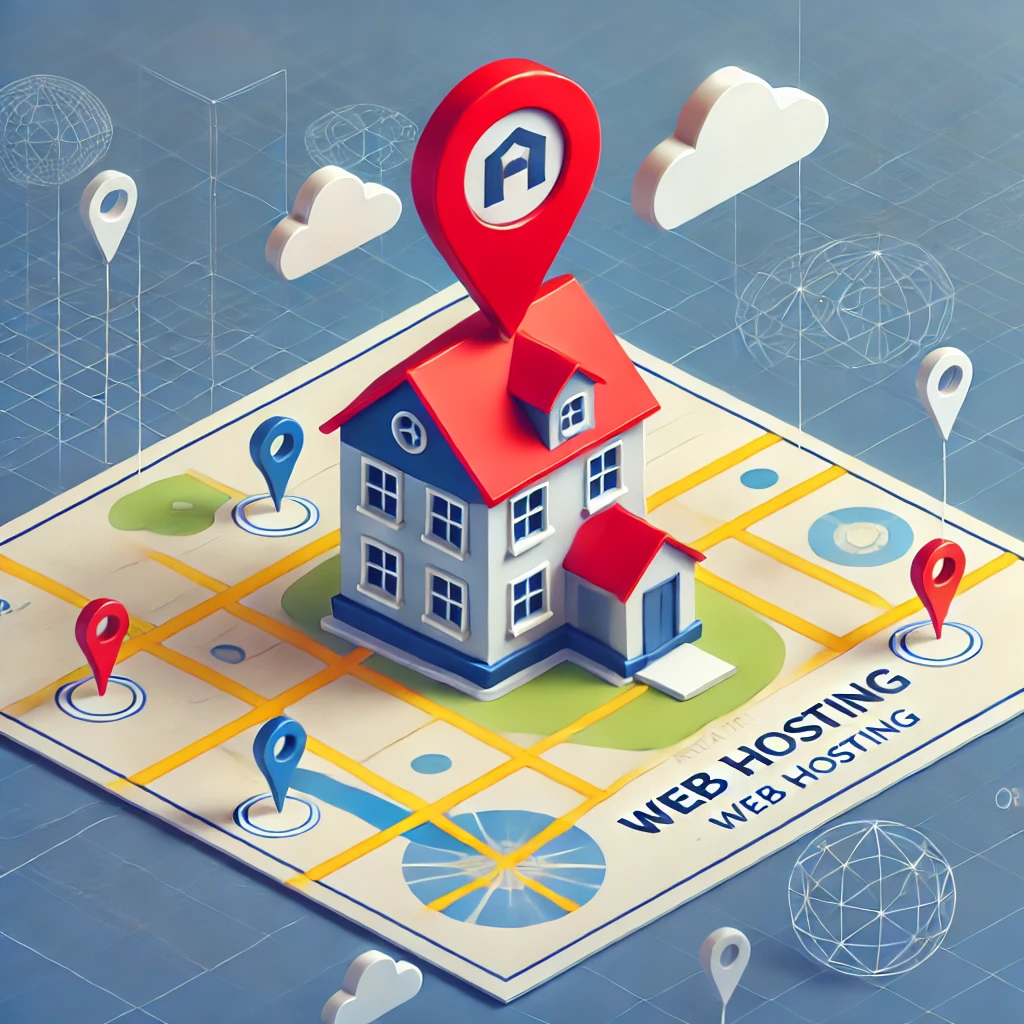
If you’re looking to create a website, you’re probably hearing terms like domain names and web hosting thrown around and wondering, what is domain and hosting used for? In short, your domain is like your website’s address, and hosting is the building where your website “lives” on the internet. Both are essential to making your site accessible to visitors.
This guide will walk you through everything you need to know, including how domains and hosting work together, how to choose the right options, and common misconceptions. Whether you’re new to the web or just need a refresher, we’ve got you covered. So let’s dive in and demystify the world of domains and hosting!
Table of Contents
What is a Domain Name?
Imagine you’re opening a new store, but instead of on a busy street corner, your store is on the internet. For people to visit your store, they need to know where it’s located. In the real world, they’d type your address into a GPS search. On the internet, the address for your website is called a domain name.
A domain name is what people type into their browser’s address bar to find your website. Think of it like the street address for your online space. This is an easy, human-readable name for your website’s location on the internet.
It’s much easier to remember “mycoolwebsite.com” than a long string of numbers like 192.168.1.1, which is what your computer actually uses to find things online. That string of numbers is called an IP address, or Internet Protocol address, and is a unique string of numbers/characters that identifies a device’s physical location on the internet.

How Domains Work (and Where DNS Fits In)
Let’s say your website is your store, and the domain name is the address where people find you. But how does their computer actually know where to go? This is where something called DNS, or Domain Name System, comes into play. You can think of DNS as the internet’s phone book (or GPS). Each domain name is associated with at least one IP address.
When you type a domain name, like “mycoolwebsite.com,” into your browser, DNS translates that name into the computer-friendly IP address, so it knows exactly where to go to find your website. It’s like looking up a phone number for a friend: you use their name, but the phone system needs their number.
Without DNS, every time you wanted to visit a website, you’d have to remember that confusing string of numbers (IP address), which would be like having to memorize everyone’s phone number instead of just their name.

Why Choosing the Right Domain Name is Important
Now, let’s talk about picking the right domain name for your website. It’s a bit like naming your store. You want it to be easy for people to remember, simple to spell, and most importantly, it should give people a good idea of what your website is about. For example, if you’re opening a bakery, something like “JanetsBakery.com” is probably better than “AwesomeEatsBakingStoreOnline.com” because it’s shorter and gets straight to the point.
Here’s a little story: Imagine you tell your friend about your new bakery website. You say, “Just visit my website at JanetLovesBakingCakesAndCookies.com.” Your friend might forget half of that long name before they even get home to look it up! But if your domain name is short and catchy, like “JanetsBakery.com,” they’re more likely to remember it.
That’s why it’s worth spending some time thinking about your domain name. Make it easy to remember, relevant to what you’re offering, and as simple as possible to type. After all, your domain name is often the first impression people will get of your website.
You’ll also want to make sure that the ideas you are generating are currently available and not already registered by someone else. You can use free registration sites such as GoDaddy.com to test your ideas for free and check the availability. We’ll also discuss other options for registrars later in this article.
What is Web Hosting?
Now that you have a domain name (your website’s address), you need a place for your website to live. That’s where web hosting comes in. Think of web hosting like renting space for your store (or website) on the internet. Just like how a physical store needs a building to display products and welcome customers, your website needs a place to store all its files, images, and content so people can visit it online.

How Does Web Hosting Work?
When someone types in your domain name (like “mycoolwebsite.com”), their computer needs to pull up all the files that make up your website—the text, pictures, videos, and everything else. All of those files are stored on a special computer called a server. The job of the web hosting service is to provide you with space on one of these servers so that your website is always ready and waiting for visitors.
So, if your domain name is the address, your web hosting is the actual building where all your website’s stuff lives. Without hosting, even if someone types in your domain name, there wouldn’t be anything there to show.
Different Types of Web Hosting (and Which One You Might Need)
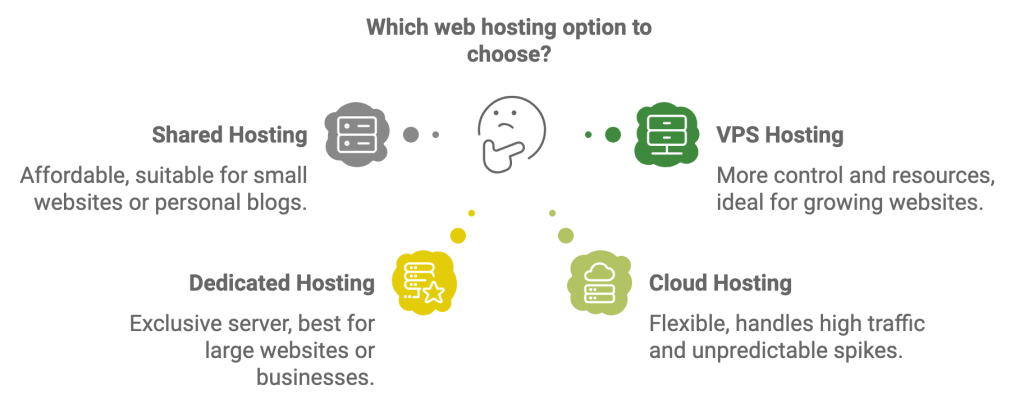
Not all web hosting is the same. Just like how you can rent different sizes of apartments or houses depending on your needs, you can choose different types of web hosting based on how much space and control you need. Let’s look at the four most common types:
Shared Hosting
Imagine you’re sharing an apartment with a bunch of roommates. Shared hosting is just like that—your website lives on a server with many other websites. It’s the most affordable option, but you’re also sharing resources, so if one website gets a lot of traffic, it might slow down the others. Shared hosting is great for small websites or personal blogs that don’t need a lot of space or speed.
Interested in learning more about what we call the ‘Noisy Neighbor’ effect in website hosting?
VPS (Virtual Private Server) Hosting
Now, imagine you’re still in an apartment, but this time you have your own private room. VPS hosting gives you more control and resources than shared hosting, but you’re still sharing the building (the server) with others. It’s a middle-ground option that’s great if your website is growing and you need more space but aren’t ready for a dedicated server.
Dedicated Hosting
This is like renting an entire house just for yourself. With dedicated hosting, your website has its own server with all the space and power it needs. This option is best for large websites or businesses that need a lot of resources and can handle the higher cost.
Cloud Hosting
Instead of living in one physical building, imagine your stuff is spread out across a bunch of storage units all over town. That’s what cloud hosting does. It uses multiple servers (or “the cloud”) to host your website, which makes it super flexible and able to handle lots of traffic without slowing down. It’s a great option if you expect your website to grow or have unpredictable spikes in traffic.
Why Web Hosting is Essential
Without web hosting, your website wouldn’t have a home. Even with the perfect domain name, no one would be able to visit your site because there would be nothing there. It’s like having an address but no house.
Good web hosting ensures your website is accessible to the public, fast to load, and available 24/7. Imagine if your favorite store was only open a couple of hours a day or kept crashing when you tried to visit—it would be frustrating, right? That’s why choosing reliable web hosting is key. It keeps your website running smoothly so visitors can always find you.
Looking for a Reliable Hosting Option for a WordPress site?
If you’re ready to take your website to the next level, our Premium WordPress Hosting is a fantastic choice. Not only do you get lightning-fast speeds and top-notch security, but it’s also built specifically for WordPress, so your site will perform at its best, every day.
With automatic updates, free SSL certificates, and 24/7 expert support, you can focus on growing your website while we handle the technical stuff. Plus, our hosting is designed to handle spikes in traffic, so whether you’re just starting out or getting tons of visitors, your site will be ready to go.
Want to learn more? Click here to explore how our premium WordPress Hosting can make your website faster, more secure, and easier to manage.
The Relationship Between Domains and Hosting
So far, we’ve talked about domain names and web hosting, but how do they work together to make your website accessible to the world?
Let’s break it down with a simple analogy: Imagine you’ve just opened a brand-new store. Your domain name is the store’s address—the thing people type in to find you. But an address alone won’t give people much to see if there’s no building at that location, right? That’s where web hosting comes in. Hosting is like the building where your store lives. It holds all your products (in this case, your website’s files, images, and content) and lets people come inside to see what you have to offer.
How It All Works Together
Here’s how it works in action: when someone types your domain name (your website’s address) into their browser, the internet uses DNS (which is like a GPS or phone book) to translate that address into the IP address of your web hosting server (your store’s building). Remember earlier that the IP address identifies a device’s physical location, your web hosting server, on the internet. The browser then knows exactly where to go to find your website’s files, loads them up, and—just like that—your site appears on their screen.
Without the domain, visitors wouldn’t know where to find you. Without hosting, they’d arrive at your address but find an empty lot. You need both the domain and the hosting to create a functional website that people can visit anytime.
Together, domains and hosting are the dynamic duo that make your website accessible to the world. They work hand in hand: your domain directs people to your hosting, and your hosting makes sure they have something to see when they get there.
Choosing the Right Domain and Hosting for Your Website
So, you’re ready to get your website online—exciting! Now comes an important decision: choosing the right domain name and web hosting. These two steps will set the foundation for your website’s success, so let’s walk through how to make the best choices.
How to Purchase a Domain Name
The first step in getting your website online is buying your domain name (the address for your site). This is a pretty simple process, and here’s how it usually goes:
- Pick a Domain Name: Start by thinking of a domain name that reflects what your website is about. If you’re running a business, it could be your company’s name (like JanetsBakery.com). If it’s a personal blog, you might want something fun and catchy.
- Choose a Registrar: You’ll need to buy your domain through a domain registrar. These are companies that handle domain name registration. Some of the most popular registrars are:
- Check Availability: Once you’ve decided on a name, you’ll check if it’s available. Most registrars will let you type in the domain you want and see if it’s taken. If it’s unavailable, don’t worry—they’ll usually suggest alternatives that are close to your original idea.
- Register Your Domain: Once you’ve found an available name you like, you’ll complete the registration by paying for the domain. Domain names are usually purchased on a yearly basis, and prices can vary, but most domains with the basic TLD (Top Level Domains) ending (e.g. .com, .org, .net) fall in the $10-$20 per year range. Custom TLD ending domain names, like .coffee, may cost a bit more.
Not interested in trying to figure this all out on your own? No sweat. At CYBERsprout, we’re happy to help our clients through the domain registration process. We can take care of setting up the registration for you, making it simple and stress-free. If you’re interested in chatting with us about your project or learning more about our services, feel free to contact us—no commitment, just a conversation!
Don’t Forget About Renewals
A domain name isn’t a one-time purchase—you’ll need to renew it every year (or every few years, depending on your plan). Some registrars offer automatic renewal so you don’t accidentally lose your domain when it expires. Imagine building a great website, only to lose the domain because you forgot to renew—yikes! Setting up automatic renewal or reminders is a good idea.
Tips for Selecting the Perfect Domain Name
Choosing the right domain name is like picking the perfect name for your store. You want something that’s memorable, easy to spell, and relevant to what you’re offering. Here are a few tips to help you pick the best name:
- Keep It Short: Long domain names are hard to remember. Try to stick with something simple, like JanetsBakery.com rather than JanetsDeliciousBakeryInTown.com.
- Avoid Numbers and Hyphens: These can confuse people. For example, “cake4you.com” could be easily mistyped as “cakeforyou.com.”
- Use Keywords: If you can, try to include a keyword related to your business or website in the domain name. For example, if you’re a photographer, something like SmithPhotography.com helps people understand what your website is about.
- Choose the Right Extension: The most common domain extension is .com, but others like .net, .org, and even fun ones like .coffee are available. Choose one that makes sense for your website’s purpose.
How to Choose the Right Hosting Plan
Now that you’ve got your domain name, it’s time to pick a web hosting plan. This is where your website’s files will live, so choosing the right plan is crucial for your website’s performance and reliability. Here’s a quick guide to help:
- Consider Your Website’s Size and Traffic:
- If you’re just starting with a small blog or a personal website, shared hosting is often a good, budget-friendly choice.
- If you’re building an online store or expect a lot of visitors, you might need VPS hosting or cloud hosting, which provide more resources and flexibility.
- Larger websites with lots of traffic might need dedicated hosting for maximum speed and control.
- Look for Key Features:
- Storage and Bandwidth: Make sure your hosting plan offers enough space for your website’s files and can handle the number of visitors you expect.
- Uptime Guarantees: You want your website available 24/7, so look for hosting providers that offer at least a 99.9% uptime guarantee.
- Security: Check if the hosting plan includes features like SSL certificates (which secure your site), automatic backups, and malware protection.
- Choose a Reputable Hosting Provider:
- If you’re using WordPress, you might consider premium WordPress Hosting for optimized performance and easy site management. The beauty of a service like this is that not only is it an outstanding hosting service, it also takes care of management for software updates so you don’t have to worry about it.
- There are a lot of great options for providers that fall under each of the 4 hosting types. We’d recommend doing a little research to determine which would serve your website the best considering; price, reliability (uptime), performance (speed & bandwidth), scalability, customer support, and whether backups or restoration options are available.
Additional Considerations: SSL, DNS, and Privacy Protection
When setting up your website, there are a few additional things to consider to ensure your site is secure, easy to find, and your personal information stays private.
What is an SSL Certificate and Why Is It Important?
An SSL certificate (Secure Sockets Layer) is like a protective shield for your website. It encrypts the data transferred between your website and your visitors, making sure that sensitive information—like passwords, credit card details, and personal info—stays safe from hackers.
You can tell if a website has an SSL certificate by the little padlock icon next to the URL in your browser and by the URL starting with “https://” (the “s” stands for “secure”). If a site doesn’t have an SSL certificate, it will show “http://”, and many browsers now flag these sites as “Not Secure,” which can scare off visitors.
If you’re running an online store or any website that collects personal information, an SSL certificate is a must-have. But even if your website is just a blog, it’s good practice to have one. Many hosting providers offer free SSL certificates with their plans, so it’s something worth looking into when choosing your host.
What is DNS and How Does It Work?
As we mentioned earlier, DNS (Domain Name System) is like the internet’s phone book. It translates your domain name (like mycoolwebsite.com) into an IP address (a series of numbers like 192.0.2.1) that computers use to locate your website’s files on a server.
Every time someone types your domain into their browser, the DNS system looks up the domain, finds the correct IP address, and directs the visitor’s browser to your hosting server. Without DNS, visitors would have to remember that long string of numbers (the IP address) instead of your simple domain name—definitely not ideal!
This system works in the background every time someone visits a website, ensuring that domains and websites are connected correctly. Each Registrar that sells domains should have a place where your domain’s DNS records can be controlled.
What is Domain Privacy Protection?
When you register a domain name, your personal information (like your name, address, and email) is typically entered into a public database called WHOIS. Unfortunately, this means that spammers and scammers can easily find and use that information for unwanted contact or even identity theft.
Domain privacy protection helps shield your personal information from the public by replacing your details in the WHOIS database with information from your domain registrar. This way, your privacy is protected, and you can avoid unwanted spam emails and phone calls.
Some domain registrars offer domain privacy protection for free, while others charge a small yearly fee. Either way, it’s a good investment to keep your personal info secure.
Common Misconceptions About Domains and Hosting
When it comes to setting up a website, there are a few common misconceptions that can confuse people, especially those new to the process. Let’s clear up some of these misunderstandings:
Misconception 1: A Domain Name and Hosting are the Same Thing
Many people think that if they purchase a domain name, they automatically have a website. But the reality is that a domain name is just the address people type into their browsers to find you. Web hosting, on the other hand, is where all your website’s files, images, and content are stored. You need both a domain and hosting to get your website up and running. Think of it like this: a domain name is your website’s street address, and hosting is the house itself where everything is stored.
Misconception 2: Once You Buy a Domain, You Own it Forever
It’s easy to assume that once you purchase a domain name, it’s yours forever. But domain names are actually rented, not owned. You typically register a domain for a period of 1–3 years, and when that time is up, you’ll need to renew the registration to keep using it. If you forget to renew, someone else could potentially register it and take it over. Setting up automatic renewal is a good way to avoid losing your domain by accident.
Misconception 3: You Have to Buy Your Domain and Hosting from the Same Company
Some people believe that if you buy your domain name from one company, you have to buy your hosting from the same provider. This isn’t true! While it can be convenient to keep everything in one place, you can buy your domain and hosting from different providers. You just need to connect your domain to your hosting account, which is usually done by updating the DNS settings.
Misconception 4: Free Hosting is Just as Good as Paid Hosting
There are free web hosting options available, but they often come with serious limitations. Free hosting usually means you’ll have limited bandwidth, slower load times, no custom domain (e.g., yoursite.freehost.com instead of yoursite.com), and sometimes even forced ads on your website. If you want professional, reliable service and control over your site, it’s worth investing in paid hosting, even if it’s a budget-friendly shared plan.
Misconception 5: Any Domain Name Will Work
Choosing the right domain name is more than just picking something that sounds cool. Your domain name should be easy to spell, easy to remember, and relevant to your website. Long or complicated domain names can make it hard for people to find your site, especially if they forget how to spell it. Also, avoid using numbers or hyphens, as they can confuse people when spoken aloud.
Misconception 6: Websites Run Themselves Once They’re Live
Another common myth is that once your website is live, you’re done. In reality, running a website requires ongoing maintenance. You’ll need to keep your software and plugins updated, monitor security, back up your data regularly, and sometimes increase your hosting plan as your site grows. Think of your website like a car—it needs regular check-ups and maintenance to keep it running smoothly.
If you’re running a WordPress site and would like someone to handle all of this for you, check out CYBERsprout’s premium WordPress Hosting. We’ll take care of updates, security, and backups, so you can focus on growing your business. Building a new website with CYBERsprout? Good news—this service is already included in your plan!
Wrapping Up
Building a website may seem complicated at first, but once you understand the roles of domains and hosting, it becomes much clearer. Remember, your domain is your online address, and hosting is the home where all your website files live. With the right domain name, a solid hosting plan, and a clear understanding of these key components, you’re ready to launch a successful site.
Need help getting started? CYBERsprout is here to guide you through the process, from registering your domain to selecting the perfect hosting plan. Reach out to us for expert support!

