
Making The Most Of Website Contact Forms

By Tyler Golberg | February 21, 2017 | Design, Development | Reading Time: 2 minutes

Almost every website makes use of contact forms. They are a beautiful feature. Communication is everything for picking up new clients and helping current ones. Here are a few ways I make the most of a website contact form.
Table of Contents
Dynamically Populate Content
Make your contact forms easier to complete for your visitors. It’ll definitely get you a higher conversion rate. For example, populate the “Product” field if someone clicking on a “Quote Request” button on a product page. That is one less step the visitor has to take.
I typically pass a variable through the URL to and use the Gravity Forms dynamic population feature. For example:
example.com/quote-request/?type=Product%20Example
Responsive Options
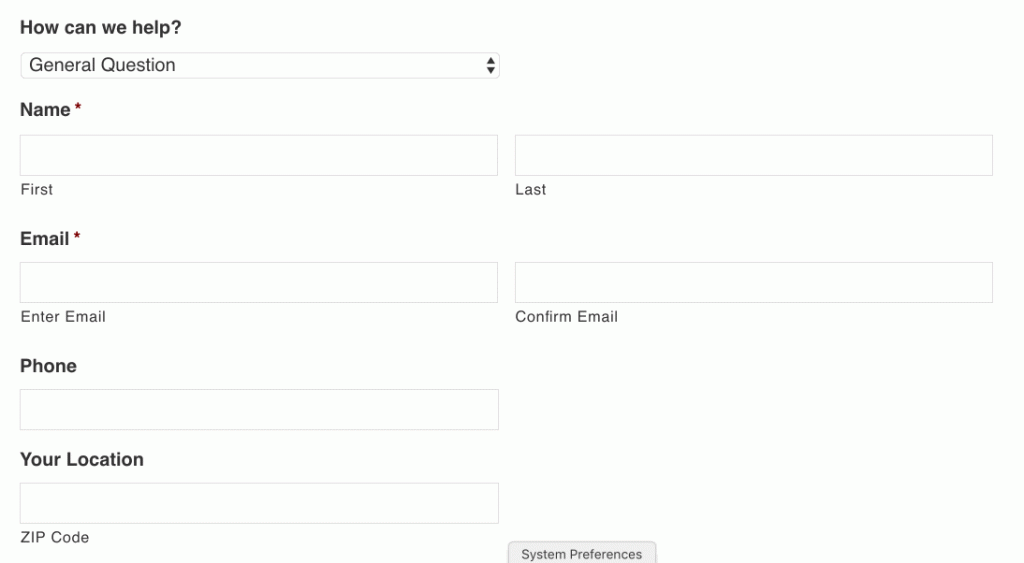
I love having one main contact form that all visitors funnel towards. It keeps navigation simple. The contact form is easy to find and can help the visitor with most of their needs. The only problem is that a contact form could get super long if it helps them with all of their possible requests. The solution is conditional statements.
I’ll often lead off the contact form with a simple question: how can we help? Based on the selection, the rest of the form will dynamically adapt. Using this method keeps the form lean and relevant.
Further Engagement
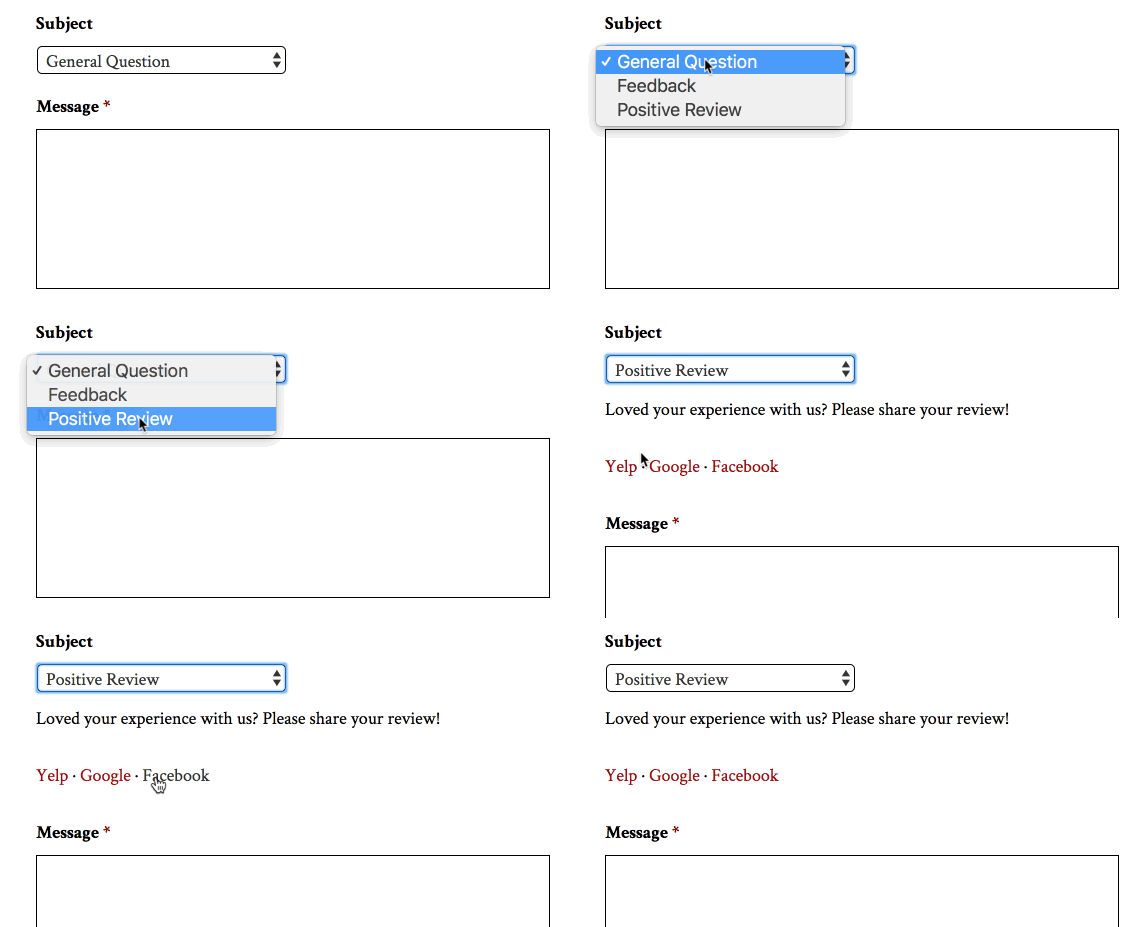
If a visitor is taking the time to contact you, they must have some interest in your company or product. Take advantage by providing further engagement opportunities for the visitor.
This can include encouraging reviews, opting into a newsletter, or promoting your social channels. I often have the newsletter or reviews built right into the form. The social links are typically located on the confirmation page that shows up after the form is submitted.
Routing Notifications
Most companies or organizations have multiple departments. It doesn’t make sense to send all of the contact form submissions to the same person. Utilize notification routing to send the submission to the right person.
With Gravity Forms you can route based on a field. That the same “how can we help” question helps us here, too.
Making It Easy To Use
It is easy to focus all your efforts on the visitor or client. Don’t forget about how you’ll use the form submissions.
Directly Reply To The Submission
One feature I love is populating the “reply to” email from the form’s email field. Then the person receiving the form can reply directly to the message. Much faster than having to copy the email, open a new email, and then paste the email.
Map The Submission To The Right Post Type
Sometimes the form is collecting info that is going to be published on the website. Try mapping the submission to the content table. Then you don’t have to copy and paste the info to the right spot. This can work really well for directories, guest posts, user registration, and much more.

